Select Your Language
We've detected you're browsing from . Choose your preferred language:
We've detected you're browsing from . Choose your preferred language:

Finalizar compra usando a sua conta
Finalizar compra como um novo cliente
Criar uma conta oferece muitas vantagens:


Salve projetos na nuvem e acesse-os de diferentes dispositivos fazendo login na sua conta Silhouette.
O uso básico é gratuito e as versões atualizadas estão vinculadas à sua conta Silhouette. Se você já possui uma versão atualizada do Silhouette Studio, também pode usar os recursos desbloqueados no Silhouette Web.
Você pode adquirir atualizações do software Silhouette em nossos revendedores autorizados .
O Silhouette Web é um ambiente de design conectado à nuvem, desenvolvido para fluxos de trabalho modernos tanto em computadores quanto em tablets.
Projetos, atualizações e configurações importantes estão conectados à sua conta Silhouette, permitindo que você acesse seu trabalho em todos os dispositivos fazendo login.
Não é necessária nenhuma instalação. O design baseado em navegador mantém tudo responsivo e acessível em todos os dispositivos compatíveis.
As edições de atualização estão vinculadas à sua conta Silhouette. Se você já possui uma edição de atualização do Silhouette Studio, também poderá usar os recursos desbloqueados no Silhouette Web.

O Silhouette Web inclui ferramentas de pincel projetadas para entrada por toque e caneta em tablets. Os pincéis suportam desenho sensível à pressão em dispositivos compatíveis, permitindo esboços mais naturais e a criação de designs no estilo de ilustração. Nas versões atualizadas, você também pode criar e salvar configurações de pincel personalizadas.

O Layout Lens ajuda você a posicionar seus designs com precisão, usando a visualização da câmera ao vivo como referência de fundo em tablets compatíveis. Esse recurso é especialmente útil ao trabalhar com projetos de transferência térmica. Você pode escolher entre uma variedade de layouts, incluindo camisetas em diferentes tamanhos, roupas de bebê, almofadas, sacolas e muito mais.

O Silhouette Web inclui o Corte de Teste em Matriz, um recurso desenvolvido para simplificar o teste de materiais. Vários cortes de teste com diferentes configurações podem ser gerados em um layout de grade estruturado, em vez de ajustar cada teste individualmente. Isso reduz o tempo de configuração, mantém os cortes de teste alinhados e ajuda os usuários a determinar rapidamente as configurações de corte ideais ao trabalhar com novos materiais.

O Silhouette Web permite que você salve seus projetos e designs na nuvem, em sua conta Silhouette. Ao fazer login, você pode acessar seus arquivos de diferentes dispositivos e continuar trabalhando sem precisar transferi-los manualmente. Isso facilita a transição entre computadores ou tablets, mantendo seus designs disponíveis onde quer que você esteja trabalhando.

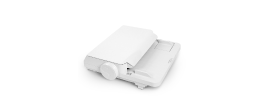
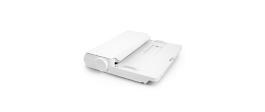
Envie trabalhos de corte diretamente do Silhouette Web em um PC. Em tablets, você pode transferir seu design para o Silhouette Go e enviá-lo para sua máquina com instruções fáceis na tela.

O Silhouette Web oferece edições opcionais de atualização que expandem as ferramentas de design e produção disponíveis. Ao atualizar, recursos adicionais de criação e fluxo de trabalho ficam disponíveis. A versão mais completa, Business Edition, introduz funcionalidades avançadas como o Corte em Lote, para repetição automática de trabalhos de corte, e a Remoção de Fundo, para preparar rapidamente fotos e imagens para uso em design.
Encontre respostas para perguntas frequentes sobre os recursos, a compatibilidade e os fluxos de trabalho do Silhouette Web.
Não. O Silhouette Web funciona via navegador e requer conexão com a internet para ser utilizado.
Se você estiver usando o Silhouette Web em um computador, poderá enviar seus designs diretamente para a sua máquina Silhouette. Se estiver usando o Silhouette Web em um tablet, em alguns casos (dependendo do modelo), o design será transferido primeiro para o Silhouette Go e, em seguida, enviado para a máquina por meio de um comando na tela.
O Silhouette Web funciona com muitas máquinas de corte Silhouette, incluindo todos os modelos atuais. Alguns modelos mais antigos, como CAMEO 1, CAMEO 2, Portrait 1 e Curio 1, não são compatíveis.
O uso básico é gratuito. As versões atualizadas são compras únicas e são aplicadas à sua conta Silhouette.
Não. As edições de atualização estão vinculadas à sua conta Silhouette. Se sua conta já possui uma edição de atualização, você pode usar os recursos correspondentes na Silhouette Web sem precisar comprar novamente.
Sim. Ao iniciar sessão com a sua conta Silhouette, você pode acessar projetos salvos na nuvem e continuar trabalhando em dispositivos e ambientes de software compatíveis.
O Layout Lens é um recurso de posicionamento assistido por câmera que permite a aplicação de designs com base no plano de fundo em tablets compatíveis. Em termos simples, você pode posicionar seu tablet e ativar a câmera para visualizar como seu design ficará em itens como camisetas, bolsas, capas de celular e muito mais. Isso o torna uma ferramenta de posicionamento perfeita para projetos de transferência térmica.
O Batch Cut é um recurso da Business Edition para fluxos de trabalho com rolos de vinil que permite repetir automaticamente o mesmo corte um número definido de vezes.
Se o seu fluxo de trabalho com tablet utiliza o Silhouette Go para enviar trabalhos para a máquina, você pode saber mais aqui.


Não é designer?
Crie os seus próprios projetos com mais de 200 000 designs prontos disponíveis na Silhouette Design Store . Baixe seus modelos favoritos e comece a criar em minutos.