Select Your Language
We've detected you're browsing from . Choose your preferred language:
We've detected you're browsing from . Choose your preferred language:

Pagar usando su cuenta
Pagar como nuevo cliente
Crear una cuenta tiene muchos beneficios:


Guarda tus proyectos en la nube y accede a ellos desde diferentes dispositivos iniciando sesión en tu cuenta de Silhouette.
El uso básico es gratuito y las ediciones de actualización están vinculadas a tu cuenta de Silhouette. Si ya tienes una edición de actualización de Silhouette Studio, también puedes usar las funciones desbloqueadas en Silhouette Web.
Puedes adquirir las ediciones de actualización del software Silhouette en nuestros distribuidores autorizados .
Silhouette Web es un entorno de diseño conectado a la nube creado para flujos de trabajo modernos tanto en computadoras como en tabletas.
Los proyectos, las actualizaciones y las configuraciones clave están conectados a tu cuenta Silhouette, por lo que puedes acceder a tu trabajo en todos los dispositivos iniciando sesión.
No requiere instalación. El diseño basado en navegador permite una respuesta rápida y un acceso sin complicaciones en todos los dispositivos compatibles.
Las ediciones de actualización están vinculadas a tu cuenta de Silhouette. Si ya tienes una edición de actualización de Silhouette Studio, también puedes usar las funciones desbloqueadas en Silhouette Web.

Silhouette Web incluye pinceles diseñados para la entrada táctil y con lápiz óptico en tabletas. Los pinceles admiten dibujo sensible a la presión en dispositivos compatibles, lo que permite realizar bocetos y diseños de estilo ilustración de forma más natural. En las versiones mejoradas, también puedes crear y guardar configuraciones de pincel personalizadas.

Layout Lens te ayuda a posicionar diseños con precisión utilizando la vista de la cámara en tiempo real como referencia de fondo en tabletas compatibles. Esta función es especialmente útil al trabajar con proyectos de transferencia térmica. Puedes elegir entre una variedad de diseños, incluyendo camisetas de diferentes tallas, ropa de bebé, cojines, bolsos y mucho más.

Silhouette Web incluye Matrix Test Cut, una función diseñada para simplificar las pruebas de materiales. Se pueden generar múltiples cortes de prueba con diferentes configuraciones en una cuadrícula estructurada, en lugar de ajustar cada prueba individualmente. Esto reduce el tiempo de configuración, mantiene los cortes de prueba perfectamente alineados y ayuda a los usuarios a determinar rápidamente la configuración de corte óptima al trabajar con nuevos materiales.

Silhouette Web permite guardar proyectos y diseños en tu cuenta de Silhouette en la nube. Al iniciar sesión, puedes acceder a tus archivos desde diferentes dispositivos y seguir trabajando sin tener que transferirlos manualmente. Esto facilita el cambio entre ordenadores o tabletas, manteniendo tus diseños disponibles dondequiera que trabajes.

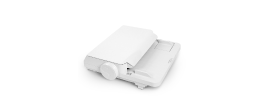
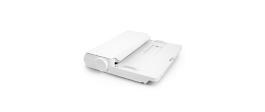
Envía los trabajos de corte directamente desde Silhouette Web en un PC. En tabletas, puedes transferir tu diseño a Silhouette Go y enviarlo a tu máquina con una sencilla indicación en pantalla.

Silhouette Web ofrece ediciones de actualización opcionales que amplían las herramientas de diseño y producción disponibles. Al actualizar, se desbloquean funciones creativas y de flujo de trabajo adicionales. La edición Business, la de gama alta, incluye funciones avanzadas como el corte por lotes para repetir automáticamente los trabajos de corte y la eliminación de fondo para preparar rápidamente fotos e imágenes para su uso en diseño.
Encuentra respuestas a las preguntas más frecuentes sobre las funciones, la compatibilidad y los flujos de trabajo de Silhouette Web.
No. Silhouette Web funciona a través del navegador y requiere conexión a internet para su uso.
Si utiliza Silhouette Web en un ordenador, puede enviar los diseños directamente a su máquina Silhouette. Si utiliza Silhouette Web en una tableta, en algunos casos (dependiendo del tipo de tableta), el diseño se transfiere primero a Silhouette Go y luego se envía a la máquina mediante una indicación en pantalla.
Silhouette Web funciona con muchas máquinas de corte Silhouette, incluidos todos los modelos actuales. Algunos modelos anteriores, como CAMEO 1, CAMEO 2, Portrait 1 y Curio 1, no son compatibles.
El uso básico es gratuito. Las ediciones de actualización son compras únicas y se aplican a tu cuenta de Silhouette.
No. Las ediciones de actualización están vinculadas a tu cuenta de Silhouette. Si tu cuenta ya tiene una edición de actualización, puedes usar las funciones correspondientes en Silhouette Web sin necesidad de comprarla de nuevo.
Sí. Al iniciar sesión con tu cuenta de Silhouette, puedes acceder a los proyectos guardados en la nube y seguir trabajando en dispositivos y entornos de software compatibles.
Layout Lens es una función de posicionamiento de diseño asistida por cámara que permite colocar diseños en función del fondo en entornos de tabletas compatibles. En pocas palabras, puedes colocar tu tableta y activar la cámara para previsualizar cómo se verá tu diseño en artículos como camisetas, bolsos, fundas para móviles y mucho más. Esto la convierte en una herramienta de posicionamiento ideal para proyectos de transferencia térmica.
La función Corte por lotes es una característica de la edición Business para flujos de trabajo con rollos de vinilo que puede repetir automáticamente el mismo trabajo de corte un número determinado de veces.
Si tu flujo de trabajo con tablet utiliza Silhouette Go para enviar trabajos a la máquina, puedes obtener más información aquí.


¿No eres diseñador?
Crea tus propios proyectos con más de 200.000 diseños listos para usar disponibles en Silhouette Design Store . Descarga tus diseños favoritos y empieza a crear en cuestión de minutos.