Select Your Language
We've detected you're browsing from . Choose your preferred language:
We've detected you're browsing from . Choose your preferred language:

Logind og bestil
Bestil som ny kunde
Oprettelse af en konto har mange fordele:


Gem projekter i skyen, og få adgang til dem fra forskellige enheder ved at logge ind på din Silhouette-konto.
Grundlæggende brug er gratis, og opgraderingsudgaver er knyttet til din Silhouette-konto. Hvis du allerede ejer en Silhouette Studio-opgraderingsudgave, kan du også bruge de ulåste funktioner i Silhouette Web.
Du kan købe Silhouette-softwareopgraderingsudgaver fra vores autoriserede forhandlere .
Silhouette Web er et cloud-forbundet designmiljø bygget til moderne arbejdsgange på både computere og tablets.
Projekter, opgraderinger og vigtige indstillinger er knyttet til din Silhouette-konto, så du kan få adgang til dit arbejde på tværs af enheder ved at logge ind.
Ingen installation er nødvendig. Det browserbaserede design sørger for, at det er responsivt og tilgængeligt på tværs af understøttede enheder.
Opgraderingsudgaver er knyttet til din Silhouette-konto. Hvis du allerede ejer en Silhouette Studio-opgraderingsudgave, kan du også bruge de ulåste funktioner i Silhouette Web.

Silhouette Web indeholder penselværktøjer designet til berøring og stylus-input på tablets. Pensler understøtter trykfølsom tegning på kompatible enheder, hvilket muliggør mere naturlig skitsering og design i illustrationsstil. I opgraderingsudgaver kan du også oprette og gemme brugerdefinerede penselindstillinger.

Layout Lens hjælper dig med at placere designs præcist ved hjælp af et live kamera som baggrundsreference på understøttede tablets. Denne funktion er især nyttig, når du arbejder med varmeoverføringsprojekter. Du kan vælge mellem en række layouts, herunder T-shirts i forskellige størrelser, babytøj, puder, muleposer og meget mere.

Silhouette Web inkluderer Matrix Test Cut, en funktion designet til at forenkle materialetestning. Flere testsnit med forskellige indstillinger kan genereres i et struktureret gitterlayout i stedet for at justere hver test individuelt. Dette reducerer opsætningstiden, holder testsnittene pænt justeret og hjælper brugerne med hurtigt at bestemme de optimale skæreindstillinger, når de arbejder med nye materialer.

Silhouette Web giver dig mulighed for at gemme projekter og designs på din Silhouette-konto i skyen. Ved at logge ind kan du få adgang til dine filer fra forskellige enheder og fortsætte med at arbejde uden at overføre filer manuelt. Dette gør det nemt at skifte mellem computere eller tablets, samtidig med at dine designs er tilgængelige, uanset hvor du arbejder.

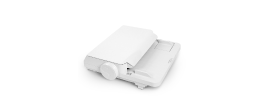
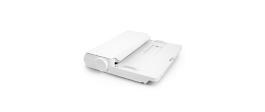
Send skæreopgaver direkte fra Silhouette Web på en pc. På tablets kan du overføre dit design til Silhouette Go og sende det til din maskine med en nem meddelelse på skærmen.

Silhouette Web tilbyder valgfrie opgraderingsudgaver, der udvider de tilgængelige design- og produktionsværktøjer. Når du opgraderer, bliver yderligere kreative funktioner og workflowfunktioner tilgængelige. Den højeste version, Business Edition, introducerer avancerede funktioner som Batch Cut til automatisk gentagelse af skærejob og Fjern baggrund til hurtig forberedelse af fotos og billeder til designbrug.
Find svar på almindelige spørgsmål om Silhouette Web-funktioner, kompatibilitet og arbejdsgange.
Nej. Silhouette Web er browserbaseret og kræver en internetforbindelse for at bruge den.
Hvis du bruger Silhouette Web på en computer, kan du sende designs direkte til din Silhouette-maskine. Hvis du bruger Silhouette Web på en tablet, overføres designet i nogle tilfælde (afhængigt af tablettypen) først til Silhouette Go og sendes derefter til maskinen via en skærmprompt.
Silhouette Web fungerer med mange Silhouette-skæremaskiner, inklusive alle nuværende modeller. Nogle tidligere maskiner som CAMEO 1, CAMEO 2, Portrait 1 og Curio 1 understøttes ikke.
Grundlæggende brug er gratis. Opgraderingsudgaver er engangskøb og anvendes på din Silhouette-konto.
Nej. Opgraderingsudgaver er knyttet til din Silhouette-konto. Hvis din konto allerede har en opgraderingsudgave, kan du bruge de tilsvarende opgraderingsfunktioner i Silhouette Web uden at købe igen.
Ja. Ved at logge ind med din Silhouette-konto kan du få adgang til projekter gemt i skyen og fortsætte med at arbejde på tværs af understøttede enheder og softwaremiljøer.
Layout Lens er en kameraassisteret layoutpositioneringsfunktion, der muliggør baggrundsbaseret designplacering i understøttede tablet-miljøer. Kort sagt kan du placere din tablet og aktivere kamerafunktionen for at se et eksempel på, hvordan dit design vil se ud på ting som T-shirts, tasker, telefoncovers og meget mere. Dette gør det til et perfekt positioneringsværktøj til varmeoverføringsprojekter.
Batch Cut er en Business Edition-funktion til vinylrulle-workflows, der automatisk kan gentage det samme skærejob et bestemt antal gange.
Hvis din tablet-workflow bruger Silhouette Go til at sende job til maskinen, kan du få mere at vide her.


Ikke designer?
Skab dine egne projekter med over 200.000 færdige designs tilgængelige i Silhouette Design Store . Download dine yndlingsdesigns, og begynd at lave ting på få minutter.