Select Your Language
We've detected you're browsing from . Choose your preferred language:
We've detected you're browsing from . Choose your preferred language:

Fizetés az Ön fiókjának használatával
Fizetés mint új vásárló
A fiók létrehozásának rengeteg előnye van:


Mentsd el a projekteket a felhőbe, és érd el őket különböző eszközökről a Silhouette-fiókodba való bejelentkezéssel.
Az alaphasználat ingyenes, a frissített kiadások pedig a Silhouette fiókodhoz kapcsolódnak. Ha már rendelkezel Silhouette Studio frissített kiadással, akkor a Silhouette Web feloldott funkcióit is használhatod.
A Silhouette szoftverfrissítési kiadásokat hivatalos viszonteladóinknál vásárolhatja meg.
A Silhouette Web egy felhőalapú tervezési környezet, amely modern munkafolyamatokhoz készült számítógépeken és táblagépeken egyaránt.
A projektek, frissítések és fontos beállítások a Silhouette-fiókodhoz kapcsolódnak, így bejelentkezéssel minden eszközödön elérheted a munkádat.
Nincs szükség telepítésre. A böngészőalapú kialakításnak köszönhetően a funkciók reszponzívak és könnyen hozzáférhetőek a támogatott eszközökön.
A frissített kiadások a Silhouette fiókodhoz kapcsolódnak. Ha már rendelkezel Silhouette Studio frissített kiadással, akkor a Silhouette Web feloldott funkcióit is használhatod.

A Silhouette Web olyan ecseteszközöket tartalmaz, amelyeket táblagépeken történő érintéses és tollal történő bevitelhez terveztek. Az ecsetek támogatják a nyomásérzékeny rajzolást kompatibilis eszközökön, lehetővé téve a természetesebb vázlatkészítést és az illusztrációs stílusú tervek készítését. A frissített kiadásokban egyéni ecsetbeállításokat is létrehozhat és menthet.

Az Elrendező Lencse segít a tervek pontos pozicionálásában élő kamerakép segítségével, háttérként használva a támogatott táblagépeken. Ez a funkció különösen hasznos hőátadási projektek esetén. Számos elrendezés közül választhat, beleértve a különböző méretű pólókat, babaruhákat, párnákat, bevásárlótáskákat és egyebeket.

A Silhouette Web tartalmazza a Matrix Test Cut funkciót, amely az anyagvizsgálat egyszerűsítését szolgálja. Több tesztvágás generálható különböző beállításokkal egy strukturált rácsos elrendezésben ahelyett, hogy minden egyes tesztet külön-külön kellene módosítani. Ez csökkenti a beállítási időt, a tesztvágásokat szépen igazítja, és segít a felhasználóknak gyorsan meghatározni az optimális vágási beállításokat új anyagokkal való munka során.

A Silhouette Web lehetővé teszi a projektek és tervek mentését a felhőben található Silhouette-fiókodba. Bejelentkezéssel különböző eszközökről is elérheted a fájljaidat, és manuális fájlátvitel nélkül folytathatod a munkát. Ez megkönnyíti a számítógépek vagy táblagépek közötti váltást, miközben terveid bárhol elérhetőek maradnak.

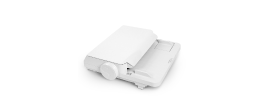
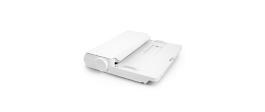
Küldd el a vágási feladatokat közvetlenül a Silhouette Webről PC-re. Táblagépeken átviheted a terveidet a Silhouette Go-ra, és egy egyszerű, képernyőn megjelenő utasítással elküldheted a gépedre.

A Silhouette Web opcionális frissítési kiadásokat kínál, amelyek kibővítik az elérhető tervezési és gyártási eszközöket. A frissítéssel további kreatív és munkafolyamat-funkciók válnak elérhetővé. A legmagasabb szintű Business Edition olyan fejlett funkciókat kínál, mint a Batch Cut (Kötegelt vágás) az automatikusan ismétlődő vágási feladatokhoz, valamint a Remove Background (Háttér eltávolítása) a fényképek és képek gyors előkészítéséhez tervezési felhasználásra.
Találjon válaszokat a Silhouette Web funkcióival, kompatibilitásával és munkafolyamataival kapcsolatos gyakori kérdésekre.
Nem. A Silhouette Web böngésző alapú, és internetkapcsolat szükséges a használatához.
Ha számítógépen használod a Silhouette Webet, közvetlenül a Silhouette gépedre küldhetsz terveket. Ha táblagépen használod a Silhouette Webet, bizonyos esetekben (a táblagép típusától függően) a terv először a Silhouette Go-ra átvitelre kerül, majd egy képernyőn megjelenő utasítás segítségével a gépre.
A Silhouette Web számos Silhouette vágógéppel működik, beleértve az összes jelenlegi modellt is. Néhány korábbi gép, mint például a CAMEO 1, CAMEO 2, Portrait 1 és Curio 1, nem támogatott.
Az alaphasználat ingyenes. A frissített kiadások egyszeri vásárlások, és a Silhouette fiókodra vonatkoznak.
Nem. A frissített kiadások a Silhouette fiókodhoz kapcsolódnak. Ha a fiókodban már van frissített kiadás, akkor a Silhouette Web megfelelő frissítési funkcióit anélkül használhatod, hogy újra kellene vásárolnod.
Igen. A Silhouette-fiókjával való bejelentkezéssel hozzáférhet a felhőbe mentett projektekhez, és folytathatja a munkát a támogatott eszközökön és szoftverkörnyezetekben.
A Layout Lens egy kamerával támogatott elrendezés-pozicionáló funkció, amely lehetővé teszi a háttér alapú terv elhelyezését a támogatott táblagép-környezetekben. Egyszerűen fogalmazva, elhelyezheti táblagépét, és bekapcsolhatja a kamera funkciót, hogy előnézetben megtekinthesse, hogyan fog megjelenni a terv olyan tárgyakon, mint a pólók, táskák, telefontokok és egyebek. Ezáltal tökéletes pozicionáló eszközzé válik hőátadási projektekhez.
A Kötegelt vágás (Batch Cut) egy Business Edition funkció viniltekercs-munkafolyamatokhoz, amely automatikusan megismétli ugyanazt a vágási feladatot egy meghatározott számú alkalommal.
Ha a táblagépes munkafolyamata a Silhouette Go programot használja a feladatok gépre küldéséhez. itt.


Nem tervező?
Készítse el saját projektjeit több mint 200 000 kész minta segítségével, amelyek elérhetők a Silhouette Design Store . Töltsd le kedvenc mintáidat, és perceken belül kezdj el alkotni.