Select Your Language
We've detected you're browsing from . Choose your preferred language:
We've detected you're browsing from . Choose your preferred language:

Checkout using your account
Checkout as a new customer
Creating an account has many benefits:


Spremite projekte u oblak i pristupite im s različitih uređaja prijavom na svoj Silhouette račun.
Osnovno korištenje je besplatno, a nadogradnje su povezane s vašim Silhouette računom. Ako već posjedujete nadogradnju za Silhouette Studio, možete koristiti i otključane značajke u Silhouette Webu.
Nadogradnje softvera Silhouette možete kupiti od naših ovlaštenih prodavača .
Silhouette Web je dizajnersko okruženje povezano s oblakom, izgrađeno za moderne tijekove rada na računalima i tabletima.
Projekti, nadogradnje i ključne postavke povezani su s vašim Silhouette računom, tako da svom radu možete pristupiti na svim uređajima prijavom.
Nije potrebna instalacija. Dizajn temeljen na pregledniku omogućuje responzivnost i dostupnost na svim podržanim uređajima.
Nadograđena izdanja vezana su uz vaš Silhouette račun. Ako već posjedujete nadograđeno izdanje Silhouette Studio, otključane značajke možete koristiti i u Silhouette Webu.

Silhouette Web uključuje alate za kistove dizajnirane za unos dodirom i olovkom na tabletima. Kistovi podržavaju crtanje osjetljivo na pritisak na kompatibilnim uređajima, omogućujući prirodnije skiciranje i stvaranje dizajna u stilu ilustracije. U nadograđenim izdanjima također možete stvoriti i spremiti prilagođene postavke kista.

Layout Lens vam pomaže u preciznom pozicioniranju dizajna koristeći prikaz kamere uživo kao pozadinsku referencu na podržanim tabletima. Ova je značajka posebno korisna pri radu s projektima prijenosa topline. Možete birati između niza izgleda, uključujući majice različitih veličina, dječju odjeću, jastuke, platnene torbe i još mnogo toga.

Silhouette Web uključuje Matrix Test Cut, značajku osmišljenu za pojednostavljenje testiranja materijala. Višestruki probni rezovi s različitim postavkama mogu se generirati u strukturiranom rasporedu mreže umjesto pojedinačnog podešavanja svakog testa. To smanjuje vrijeme postavljanja, održava probne rezove uredno poravnanima i pomaže korisnicima da brzo odrede optimalne postavke rezanja pri radu s novim materijalima.

Silhouette Web omogućuje spremanje projekata i dizajna na vaš Silhouette račun u oblaku. Prijavom možete pristupiti svojim datotekama s različitih uređaja i nastaviti raditi bez ručnog prijenosa datoteka. To olakšava kretanje između računala ili tableta, a vaši dizajni ostaju dostupni gdje god radite.

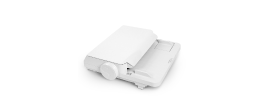
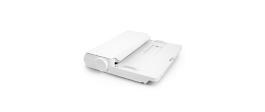
Šaljite zadatke rezanja izravno sa Silhouette Weba na računalu. Na tabletima možete prenijeti svoj dizajn na Silhouette Go i poslati ga na svoj stroj pomoću jednostavnog upita na zaslonu.

Silhouette Web nudi opcionalna nadogradna izdanja koja proširuju dostupne alate za dizajn i produkciju. Kako nadograđujete, postaju dostupne dodatne kreativne značajke i značajke tijeka rada. Najviša razina, Business Edition, uvodi napredne mogućnosti kao što su Batch Cut za automatsko ponavljanje poslova rezanja i Remove Background za brzu pripremu fotografija i slika za upotrebu u dizajnu.
Pronađite odgovore na česta pitanja o značajkama, kompatibilnosti i tijekovima rada Silhouette Weba.
Ne. Silhouette Web temelji se na pregledniku i za korištenje je potrebna internetska veza.
Ako koristite Silhouette Web na računalu, dizajne možete slati izravno na svoj Silhouette uređaj. Ako koristite Silhouette Web na tabletu, u nekim slučajevima (ovisno o vrsti tableta) dizajn se prvo prenosi na Silhouette Go, a zatim šalje na uređaj pomoću zaslonske upute.
Silhouette Web radi s mnogim Silhouette strojevima za rezanje, uključujući sve trenutne modele. Neki stariji strojevi poput CAMEO 1, CAMEO 2, Portrait 1 i Curio 1 nisu podržani.
Osnovno korištenje je besplatno. Nadogradnje su jednokratne kupnje i primjenjuju se na vaš Silhouette račun.
Ne. Nadograđena izdanja povezana su s vašim Silhouette računom. Ako vaš račun već ima nadograđeno izdanje, možete koristiti odgovarajuće značajke nadogradnje na Silhouette Webu bez ponovne kupnje.
Da. Prijavom na svoj Silhouette račun možete pristupiti projektima spremljenim u oblaku i nastaviti raditi na podržanim uređajima i softverskim okruženjima.
Layout Lens je značajka pozicioniranja izgleda uz pomoć kamere koja omogućuje postavljanje dizajna na temelju pozadine unutar podržanih okruženja tableta. Jednostavno rečeno, možete pozicionirati tablet i uključiti značajku kamere kako biste pregledali kako će vaš dizajn izgledati na predmetima kao što su majice, torbe, futrole za telefone i drugo. To ga čini savršenim alatom za pozicioniranje za projekte prijenosa topline.
Batch Cut je značajka poslovnog izdanja za tijekove rada s vinilnim rolama koja može automatski ponoviti isti zadatak rezanja određeni broj puta.
Ako vaš tablet koristi Silhouette Go za slanje zadataka na uređaj, više informacija možete pronaći ovdje.


Niste dizajner?
Izradite vlastite projekte s više od 200.000 gotovih dizajna dostupnih u Silhouette Design Store . Preuzmite svoje omiljene dizajne i počnite izrađivati za nekoliko minuta.