Select Your Language
We've detected you're browsing from . Choose your preferred language:
We've detected you're browsing from . Choose your preferred language:

Mit Ihrem Konto bestellen
Als neuer Kunde bestellen
Das Erstellen eines Kontos hat viele Vorteile:


Speichern Sie Projekte in der Cloud und greifen Sie von verschiedenen Geräten darauf zu, indem Sie sich in Ihrem Silhouette-Konto anmelden.
Die Basisversion ist kostenlos, und Upgrade-Versionen sind mit Ihrem Silhouette-Konto verknüpft. Wenn Sie bereits eine Silhouette Studio Upgrade-Version besitzen, können Sie die freigeschalteten Funktionen auch in Silhouette Web nutzen.
Sie können Software-Upgrades für Silhouette bei unseren autorisierten Händlern erwerben.
Silhouette Web ist eine cloudbasierte Designumgebung, die für moderne Arbeitsabläufe auf Computern und Tablets entwickelt wurde.
Projekte, Upgrades und wichtige Einstellungen sind mit Ihrem Silhouette-Konto verknüpft, sodass Sie durch Anmelden geräteübergreifend auf Ihre Arbeit zugreifen können.
Es ist keine Installation erforderlich. Das browserbasierte Design sorgt für responsives und geräteübergreifendes Arbeiten.
Upgrade-Editionen sind an Ihr Silhouette-Konto gebunden. Wenn Sie bereits eine Silhouette Studio Upgrade-Edition besitzen, können Sie die freigeschalteten Funktionen auch in Silhouette Web nutzen.

Silhouette Web bietet Pinselwerkzeuge, die speziell für die Touch- und Stifteingabe auf Tablets entwickelt wurden. Die Pinsel unterstützen drucksensitives Zeichnen auf kompatiblen Geräten und ermöglichen so ein natürlicheres Skizzieren und die Erstellung von Illustrationen. In den Upgrade-Versionen können Sie außerdem benutzerdefinierte Pinseleinstellungen erstellen und speichern.

Layout Lens hilft Ihnen, Designs präzise zu positionieren, indem Sie auf unterstützten Tablets die Live-Kameraansicht als Hintergrundreferenz nutzen. Diese Funktion ist besonders nützlich bei Projekten mit Textiltransferdruck. Sie können aus einer Vielzahl von Layouts wählen, darunter T-Shirts in verschiedenen Größen, Babykleidung, Kissen, Tragetaschen und vieles mehr.

Silhouette Web beinhaltet Matrix Test Cut, eine Funktion, die Materialtests vereinfacht. Mehrere Testschnitte mit unterschiedlichen Einstellungen lassen sich in einem strukturierten Rasterlayout generieren, anstatt jeden Test einzeln anzupassen. Dies reduziert die Einrichtungszeit, sorgt für präzise ausgerichtete Testschnitte und hilft Anwendern, die optimalen Schneideeinstellungen für neue Materialien schnell zu ermitteln.

Mit Silhouette Web können Sie Projekte und Designs in Ihrem Silhouette-Konto in der Cloud speichern. Nach der Anmeldung haben Sie von verschiedenen Geräten aus Zugriff auf Ihre Dateien und können nahtlos weiterarbeiten, ohne Dateien manuell übertragen zu müssen. So wechseln Sie mühelos zwischen Computern und Tablets und haben Ihre Designs immer griffbereit, egal wo Sie arbeiten.

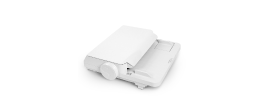
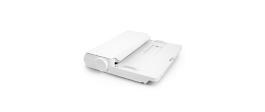
Senden Sie Schneideaufträge direkt von Silhouette Web auf einem PC. Auf Tablets können Sie Ihr Design an Silhouette Go übertragen und es mit einer einfachen Bildschirmanzeige an Ihre Maschine senden.

Silhouette Web bietet optionale Upgrade-Versionen, die die verfügbaren Design- und Produktionswerkzeuge erweitern. Mit jedem Upgrade werden zusätzliche kreative Funktionen und Workflow-Optimierungen freigeschaltet. Die höchste Stufe, die Business Edition, bietet erweiterte Funktionen wie Batch Cut für automatisch wiederholte Schneideaufträge und Remove Background für die schnelle Vorbereitung von Fotos und Bildern für Designzwecke.
Hier finden Sie Antworten auf häufig gestellte Fragen zu Silhouette Web-Funktionen, Kompatibilität und Arbeitsabläufen.
Nein. Silhouette Web ist browserbasiert und erfordert eine Internetverbindung.
Wenn Sie Silhouette Web auf einem Computer verwenden, können Sie Designs direkt an Ihre Silhouette-Maschine senden. Bei der Verwendung von Silhouette Web auf einem Tablet wird das Design in manchen Fällen (abhängig vom Tablet-Typ) zuerst an Silhouette Go übertragen und anschließend mithilfe einer Bildschirmanzeige an die Maschine gesendet.
Silhouette Web funktioniert mit vielen Silhouette-Schneidemaschinen, einschließlich aller aktuellen Modelle. Ältere Modelle wie CAMEO 1, CAMEO 2, Portrait 1 und Curio 1 werden nicht unterstützt.
Die Basisnutzung ist kostenlos. Upgrade-Versionen sind einmalige Käufe und werden Ihrem Silhouette-Konto gutgeschrieben.
Nein. Upgrade-Versionen sind mit Ihrem Silhouette-Konto verknüpft. Wenn Ihr Konto bereits eine Upgrade-Version enthält, können Sie die entsprechenden Upgrade-Funktionen in Silhouette Web nutzen, ohne sie erneut kaufen zu müssen.
Ja. Wenn Sie sich mit Ihrem Silhouette-Konto anmelden, können Sie auf in der Cloud gespeicherte Projekte zugreifen und auf unterstützten Geräten und Softwareumgebungen weiterarbeiten.
Layout Lens ist eine kameragestützte Funktion zur Layoutpositionierung, die die Platzierung von Designs im Hintergrund auf unterstützten Tablets ermöglicht. Kurz gesagt: Sie positionieren Ihr Tablet und aktivieren die Kamera, um eine Vorschau Ihres Designs auf Artikeln wie T-Shirts, Taschen, Handyhüllen und mehr zu erhalten. Dadurch eignet es sich ideal für die Positionierung bei Thermotransferprojekten.
Batch Cut ist eine Funktion der Business Edition für Vinylrollen-Workflows, die den gleichen Schneidevorgang automatisch eine festgelegte Anzahl Male wiederholen kann.
Wenn Ihr Tablet-Workflow Silhouette Go zum Senden von Aufträgen an die Maschine verwendet. Hier.


Kein Designer?
Erstellen Sie eigene Projekte mit über 200.000 fertigen Designs, die im Silhouette Design Store . Lade dir deine Lieblingsdesigns herunter und leg in wenigen Minuten los.